



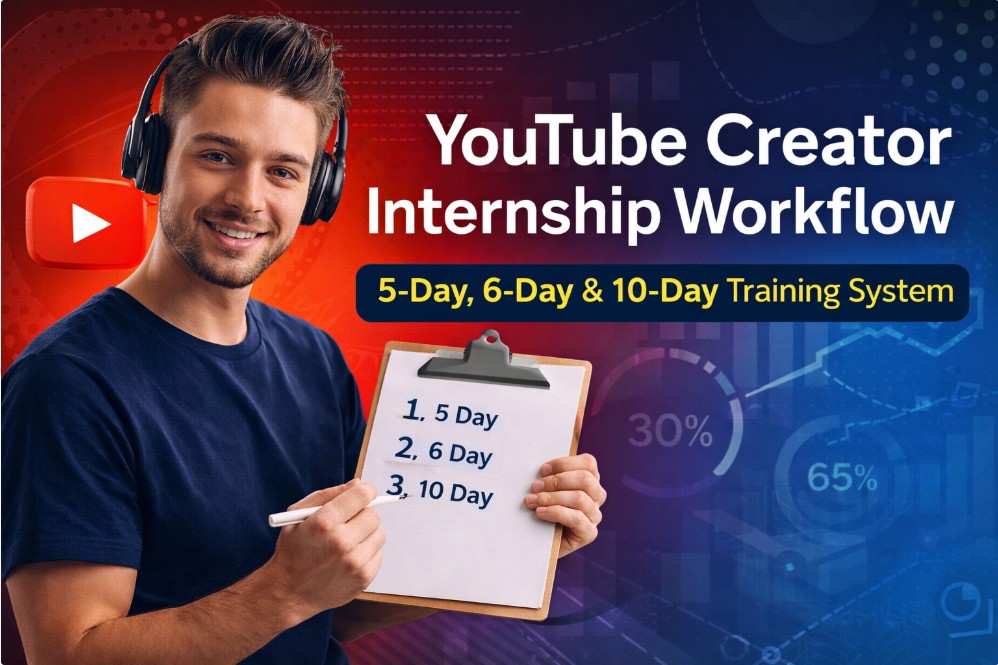
YouTube Creator Internship Workflow: 5-Day, 6-Day & 10-Day Training System
Taking some healthy cooking classes will teach you how to make healthy foods at home? Perhaps a Chef LeeZ cooking class.
YouTube Creator Internship Workflow: 5-Day, 6-Day & 10-Day Training System
This guide documents a real-world YouTube creator internship workflow designed to train new creators without burnout, guesswork, or missed steps. It is built from production reality — not theory — and scales from a light 5-day workflow to a full 10-day professional system.
If you are onboarding interns, training junior creators, or building consistency into your own channel, this SOP-style workflow gives you structure, accountability, and measurable output.
What This Internship Workflow Trains
This system teaches interns and new creators how to:
- Plan and record long-form YouTube content
- Edit efficiently without perfection paralysis
- Repurpose one video into multiple Shorts
- Implement thumbnail A/B testing
- Track performance using QR codes
- Publish strategically across time zones
- Engage with viewers professionally
- Document results and improve the next cycle
This is production + publishing + engagement, not just editing.
Overview: 5-Day vs 6-Day vs 10-Day Workflow
The workflows differ by depth, not difficulty.
- 5-Day Workflow (~20 hours)
Best for beginners, trials, and short internships - 6-Day Workflow (~26 hours)
Adds analytics review and optimization - 10-Day Workflow (~33 hours)
Full professional creator system with feedback loops
The 5-Day Creator Workflow (Foundational)
Day 1 – Planning & Recording
- Define video topic and angle
- Keyword research and outline
- Script or bullet structure
- Record long-form video
- Mark Shorts moments
- Backup raw footage
Focus: Clear thinking and clean source material
Day 2 – Core Editing
- Rough cut
- Remove dead space
- Audio cleanup
- Insert chapters
- Add CTA segment
- Final export
Focus: Watchable, clean long-form video
Day 3 – Shorts & Thumbnails
- Edit 3 Shorts
- Insert QR code in Shorts
- Create 3x 16:9 thumbnails (A/B test)
- Create 3x 9:16 Shorts thumbnails
- Mobile thumbnail selection
Focus: Repurposing and click optimization
Day 4 – Publishing & Distribution
- Upload long-form video
- Schedule Shorts
- Add related video links
- Cross-post to social platforms
- Publish related blog post
Focus: Visibility and discoverability
Day 5 – Engagement & Review
- Respond to comments
- Community engagement
- Basic performance review
- Notes for next video
Focus: Feedback and learning loop
The 6-Day Workflow (Adds Optimization)
The 6-day workflow includes everything above, plus:
Added Day – Analytics & Improvements
- Review CTR and retention
- Thumbnail performance comparison
- QR scan review
- Title and description tweaks
Focus: Learning from data
The 10-Day Creator Internship Workflow (Professional)
The 10-day workflow spreads workload for higher quality, less fatigue, and adds documentation.
Days 1–5
Same structure as the 5-day workflow, with more realistic pacing.
Day 6 – Publish Long-Form + Initial Engagement
- Publish main video
- First 60-minute publish checklist
- Pin comment
- Reply to early viewers
Day 7 – Shorts Rollout
- Publish Shorts
- Track QR scans
- Monitor audience response
Day 8 – Social Cross-Promotion
- Cross-post Shorts
- Community post
- Blog internal linking
Day 9 – Analytics Review
- Review YouTube Studio metrics
- Compare thumbnail performance
- Evaluate QR tracking
Day 10 – Documentation & SOP Update
- Summarize results
- Note what worked
- Update SOP
- Prepare next video cycle
Focus: Repeatable improvement
Included: 10-Day Google Sheets Internship Tracker
This workflow includes a Google Sheets–ready checklist with dedicated columns for:
- Day No.
- Task
- Estimated Time
- Video Name
- Date Started
- Time Started
- Time Finished
- Total Time
- Notes
Each day is pre-structured so interns can track time, accountability, and output without confusion.
Use it to:
- Compare estimated vs actual time
- Identify bottlenecks
- Improve future workflows
Who This System Is For
- YouTube creator internships
- Small creator teams
- Solo creators building discipline
- Agencies training junior editors
If a creator cannot complete the 5-day workflow, they are not ready for the 10-day system.
Final Thoughts
This is not a hustle schedule. It is a production system.
Start small, track everything, improve one cycle at a time — and your channel becomes predictable instead of stressful.
5-day detailed workflow spreadsheet
| Day No. | Task | Estimated Time | Video Name | Date Started | Time Started | Time Finished | Total Time | Notes |
| 1 | Define video goal | 15 min | ||||||
| 1 | Keyword & topic research | 30 min | ||||||
| 1 | Outline / script creation | 45 min | ||||||
| 1 | Define primary CTA | 10 min | ||||||
| 1 | Record long-form video | 3 hr | ||||||
| 1 | Mark Shorts timestamps | 20 min | ||||||
| 1 | Backup raw footage | 10 min | ||||||
| 2 | Rough cut edit | 2 hr | ||||||
| 2 | Trim dead space & pacing | 45 min | ||||||
| 2 | Audio cleanup & leveling | 30 min | ||||||
| 2 | Add chapters / sections | 20 min | ||||||
| 2 | Insert CTA segment | 10 min | ||||||
| 2 | Final export (long-form) | 15 min | ||||||
| 2 | Quality check | 20 min | ||||||
| 3 | Edit Short #1 | 2 hr | ||||||
| 3 | Edit Short #2 | 2 hr | ||||||
| 3 | Edit Short #3 | 2 hr | ||||||
| 3 | Add hooks | 15 min | ||||||
| 3 | Burned-in captions | 30 min | ||||||
| 3 | Export Shorts | 15 min | ||||||
| 4 | Thumbnail A (16:9) | 20 min | ||||||
| 4 | Thumbnail B (16:9) | 20 min | ||||||
| 4 | Thumbnail C (16:9) | 20 min | ||||||
| 4 | Shorts thumbnail #1 | 10 min | ||||||
| 4 | Shorts thumbnail #2 | 10 min | ||||||
| 4 | Shorts thumbnail #3 | 10 min | ||||||
| 4 | Create QR / tracked links | 20 min | ||||||
| 4 | Insert QR into Shorts | 30 min | ||||||
| 5 | Write WordPress blog post | 60 min | ||||||
| 5 | Embed YouTube video | 10 min | ||||||
| 5 | Add internal links | 15 min | ||||||
| 5 | Write YouTube description | 20 min | ||||||
| 5 | Add tags & pinned comment | 20 min |
10-day Internship workflow checklist. As you become more proficient the time required for each task will reduce.
| Day No. | Task | Estimated Time | Video Name | Date Started | Time Started | Time Finished | Total Time | Notes |
| 1 | Define video goal | 15 min | ||||||
| 1 | Keyword & topic research | 30 min | ||||||
| 1 | Outline / script creation | 45 min | ||||||
| 1 | Define primary CTA | 10 min | ||||||
| 1 | Record long-form video | 3 hr | ||||||
| 1 | Mark Shorts timestamps | 20 min | ||||||
| 1 | Backup raw footage | 10 min | ||||||
| 2 | Rough cut edit | 2 hr | ||||||
| 2 | Trim dead space & pacing | 45 min | ||||||
| 2 | Audio cleanup & leveling | 30 min | ||||||
| 2 | Add chapters / sections | 20 min | ||||||
| 2 | Insert CTA segment | 10 min | ||||||
| 2 | Final export (long-form) | 15 min | ||||||
| 2 | Quality check | 20 min | ||||||
| 3 | Edit Short #1 | 2 hr | ||||||
| 3 | Edit Short #2 | 2 hr | ||||||
| 3 | Edit Short #3 | 2 hr | ||||||
| 3 | Add hooks | 15 min | ||||||
| 3 | Burned-in captions | 30 min | ||||||
| 3 | Export Shorts | 15 min | ||||||
| 4 | Thumbnail A (16:9) | 20 min | ||||||
| 4 | Thumbnail B (16:9) | 20 min | ||||||
| 4 | Thumbnail C (16:9) | 20 min | ||||||
| 4 | Shorts thumbnail #1 (9:16) | 10 min | ||||||
| 4 | Shorts thumbnail #2 (9:16) | 10 min | ||||||
| 4 | Shorts thumbnail #3 (9:16) | 10 min | ||||||
| 4 | Create QR / tracked links | 20 min | ||||||
| 4 | Insert QR into Shorts | 30 min | ||||||
| 4 | Log QR tracking info | 10 min | ||||||
| 5 | Write WordPress blog post | 60 min | ||||||
| 5 | Embed YouTube video | 10 min | ||||||
| 5 | Add internal links | 15 min | ||||||
| 5 | Add blog CTA | 10 min | ||||||
| 5 | Write YouTube description | 20 min | ||||||
| 5 | Add tags & pinned comment | 20 min | ||||||
| 5 | Schedule long-form video | 10 min | ||||||
| 6 | Verify thumbnail live | 5 min | ||||||
| 6 | Verify title & description | 5 min | ||||||
| 6 | Test links & QR codes | 10 min | ||||||
| 6 | Enable captions | 5 min | ||||||
| 6 | Respond to first comments (60 min) | 60 min | ||||||
| 7 | Publish Short #1 | 10 min | ||||||
| 7 | Schedule Short #2 | 10 min | ||||||
| 7 | Schedule Short #3 | 10 min | ||||||
| 7 | Cross-post to social platforms | 20 min | ||||||
| 7 | Monitor QR traffic | 15 min | ||||||
| 8 | Review comments | 30 min | ||||||
| 8 | Respond to viewer questions | 30 min | ||||||
| 8 | Pin high-value comments | 10 min | ||||||
| 8 | Log audience feedback | 15 min | ||||||
| 9 | Review CTR & retention | 20 min | ||||||
| 9 | Compare thumbnail performance | 20 min | ||||||
| 9 | Review Shorts analytics | 20 min | ||||||
| 9 | Review QR data | 15 min | ||||||
| 10 | Document what worked | 20 min | ||||||
| 10 | Document what failed | 20 min | ||||||
| 10 | Update SOP | 30 min | ||||||
| 10 | Prepare next workflow | 20 min | ||||||
| 10 | Archive project | 10 min |
QR CODE Tracking Spreadsheet
| Date | Video Name linked to URL | Asset Type | QR ID | Destination URL | Platform Source | Views (Video/Short) | QR Scans | CTR % | Notes / Actions |
| Long Video | QR-LV-01 | YouTube Long | #VALUE! | ||||||
| Short #1 | QR-S1-01 |
YouTube Shorts
|
#DIV/0! | ||||||
| Short #2 | QR-S2-01 |
YouTube Shorts
|
#DIV/0! | ||||||
| Short #3 | QR-S3-01 | YouTube Shorts | #DIV/0! |
You can see our related videos and blogs by the following links.
Our related YouTube shorts,
Our related YouTube Videos
You can see all our wellness related blogs here.
To never miss our future postings sign up to receive our newsletter by the short form below.